
Ship your own softphone, not a sample app.
A complete desktop phone in three layers: a headless engine, ready-made WinUI 3 controls and a reference app. Rebrand it with one file and ship it with your own installer.
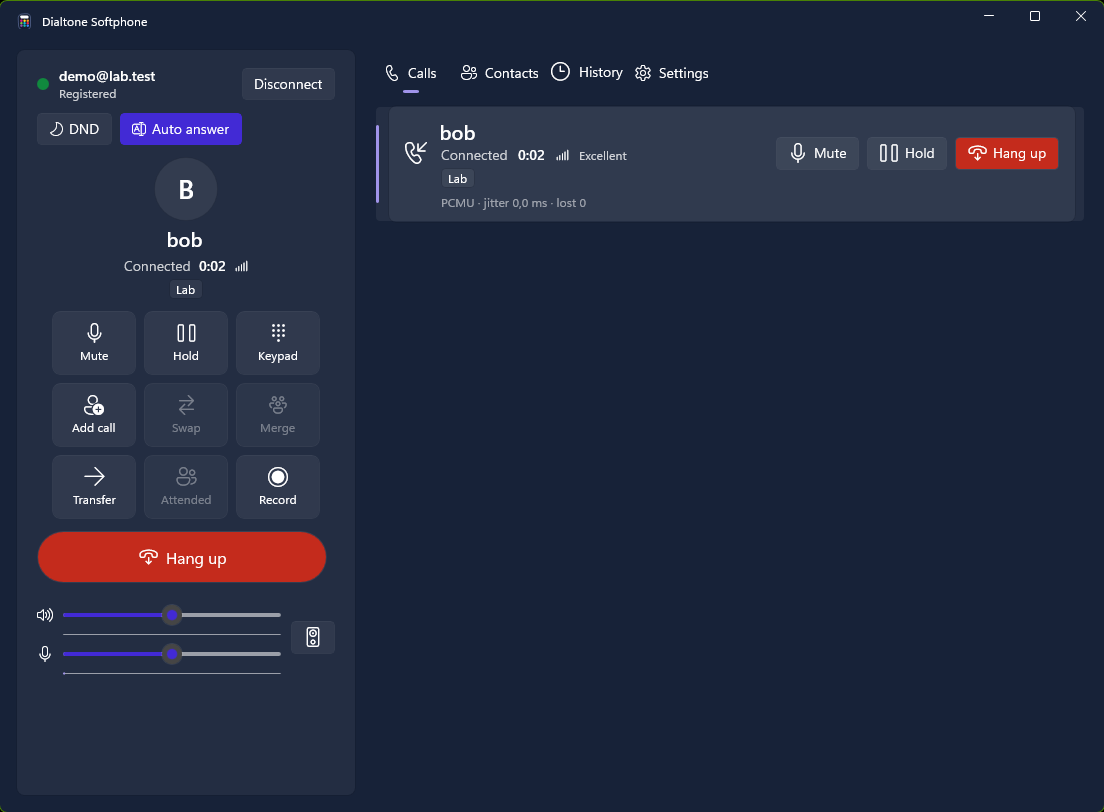
Use the whole phone, or only the parts you need.
Phone engine
Accounts, desk-phone call rules, conference, recording, contacts and history, with no UI dependency. Works with WinUI, WPF or tests.
WinUI 3 controls
Dialler with in-call grid, call list, contacts, history, settings and a tray icon. Set a view model and place them.
Reference app
A finished tray phone with an MSI installer. Use it as-is, rebrand it, or treat it as the blueprint for your own.
Everything users expect from a desk phone.
One-button calling
A green Call, a red Hang up and Answer/Decline when a call rings.
Hold, swap, transfer
Desk-phone rules: taking a call holds the others. Blind and attended transfer.
Three-way conference
Merge two calls locally; split them again at any time.
Call recording
Stereo WAV with your voice on the left and the caller on the right.
Device switching
Move live calls to another microphone or headset without hanging up.
Rings when closed
Lives in the notification area, shows a Windows notification and starts with Windows.
Click-to-dial
Handles tel:, sip:, sips: and callto: links from browsers and other apps.
Contacts and history
Searchable phonebook and call history with missed-call badges.
Your brand, your installer, one file.
A branding.json next to the phone sets the name, icon, accent colour and dark theme, provisions your SIP server and switches features on or off.
- Locked provisioning: users enter only their extension and password.
- Feature switches enforced by the engine, not just hidden in the UI.
- Branded MSI that installs side by side with other brands.
- Validated at build time, so a broken brand never ships.
{
  "productName": "Dialtone Softphone",
  "publisher": "Dialtone Technologies",
  "identity": "Dialtone.Softphone",
  "icon": "Dialtone.ico",
  "accentColor": "#422AD5",
  "darkBackground": "#172238",
  "defaults": {
    "domain": "sip.example.net",
    "lockServer": true,
    "theme": "Dark"
  },
  "features": { "recording": false, "multipleAccounts": false }
}# Validates branding.json, then builds a side-by-side branded MSI
pwsh scripts/Build-SoftphoneInstaller.ps1 `
-Branding branding/Acme/branding.jsonBind it, or drive it from code.
The engine marshals every state change through your UI dispatcher. Bind the view models to the supplied controls or to your own XAML.
The engine targets .NET 8, 9 and 10 on Windows; the WinUI controls target .NET 10 with the Windows App SDK.
using VoipSdk.Softphone;
using VoipSdk.Softphone.ViewModels;

Action<Action> ui = action =>
    dispatcherQueue.TryEnqueue(() => action());

var engine = new SoftphoneEngine(new SoftphoneEngineOptions
{
    Dispatch = ui,   // state changes arrive on your UI thread
    Branding = SoftphoneBranding.LoadFrom(AppContext.BaseDirectory)
});
var phone = new PhoneViewModel(engine, ui);
await phone.InitializeAsync();

Dialer.ViewModel = phone;   // the WinUI dialler control
await phone.OpenLinkAsync("tel:+27315550100");
Put your name on a production-grade softphone.
Licensed per IP address and concurrent calls, with white-label builds included in the conversation.